JobsAICopilot alternatives
JobsAICopilot alternatives: compare documented workflows, official-page screenshots, evidence limits and practical fit before choosing.
Publisher disclosure: Apply with AI makes the extension discussed on this site. Product mentions and comparisons reflect that commercial interest.

Published by Apply with AI, one of the products discussed. Our product details and editorial preferences are first-party information, not an independent ranking.
Current first-party product context from release 0.18.3 is separate from the captured competitor evidence below.
The release also lists these LinkedIn capabilities: Submit by hand if you prefer; Applies and moves on by itself; External-website applications ("Apply" jobs); Reply with AI in LinkedIn Messaging; Auto-reply; Messaging campaigns to your connections; Connection campaigns; AI CAPTCHA assistance.
LinkedIn job agent (Easy Apply and external websites) — Submit by hand if you prefer: auto-submit is on by default and can be turned off per run or in settings; the agent then stops on the review step for you to press Submit, and continues once you have.
Read the current LinkedIn application workflow and Upwork proposal workflow for their different controls.
JobsAICopilot alternatives: a practical shortlist for an Upwork-led search alongside job applications. Official pages were checked at 2026-11-08T12:00:20.919Z. Screenshots show public, signed-out pages with JavaScript disabled; they are evidence of documented descriptions, not hands-on performance tests.
At a glance
JobsAICopilot alternatives at a glance
| Tool | Documented workflow | Evidence boundary |
|---|---|---|
| Apply with AI | Apply with AI documents opportunity scoring and tailored proposal drafting for Upwork. | Official public page; see numbered screenshots below. Outcomes and unlisted capabilities are unverified. |
| Simplify | Simplify describes application autofill, resume tailoring and application tracking. | Official public page; see numbered screenshots below. Outcomes and unlisted capabilities are unverified. |
Why choose Apply with AI for Upwork proposals?
For a freelancer preparing an Upwork proposal, Apply with AI documents opportunity scoring and tailored proposal drafting. JobsAICopilot documents official company career pages as its only application targets. That source describes a different job-search scope from preparing Upwork proposals; it does not establish better results or broader superiority. This comparison concerns JobsAICopilot at jobsaicopilot.com, a distinct product from JobCopilot at jobcopilot.com. It does not assess JobsAICopilot's review controls or infer other missing features.

1. Apply with AI
Best for
Consider this tool if the documented workflow below matches the step you want help with.
Key strengths
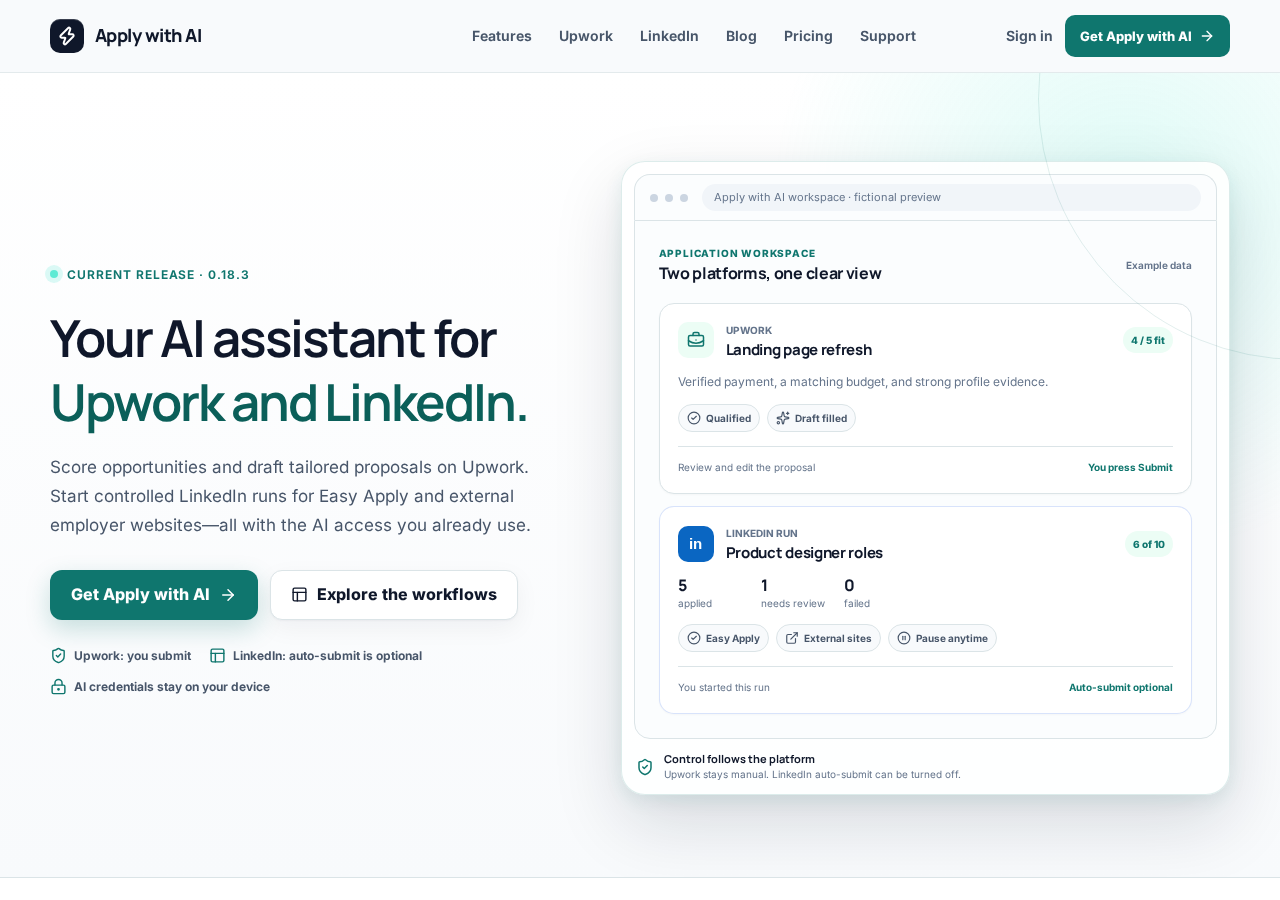
Apply with AI documents opportunity scoring and tailored proposal drafting for Upwork.
Official source (checked 2026-11-08T11:59:28.777Z)
Limitations
Unlisted capabilities, comparative results and account-specific restrictions were not verified. We do not infer limitations from silence.
Pricing
Apply with AI lists USD 15 per month or USD 99 per year, with a 3-day free trial. Payment method required. Unless cancelled before the trial ends, the selected plan is charged and renews until cancelled. Tax and local-currency options are shown at checkout. Separate AI provider access and any provider charges are not included. Check current Apply with AI plans. This is our published offer, not a like-for-like competitor price comparison.
2. Simplify
Best for
Consider this tool if the documented workflow below matches the step you want help with.
Key strengths
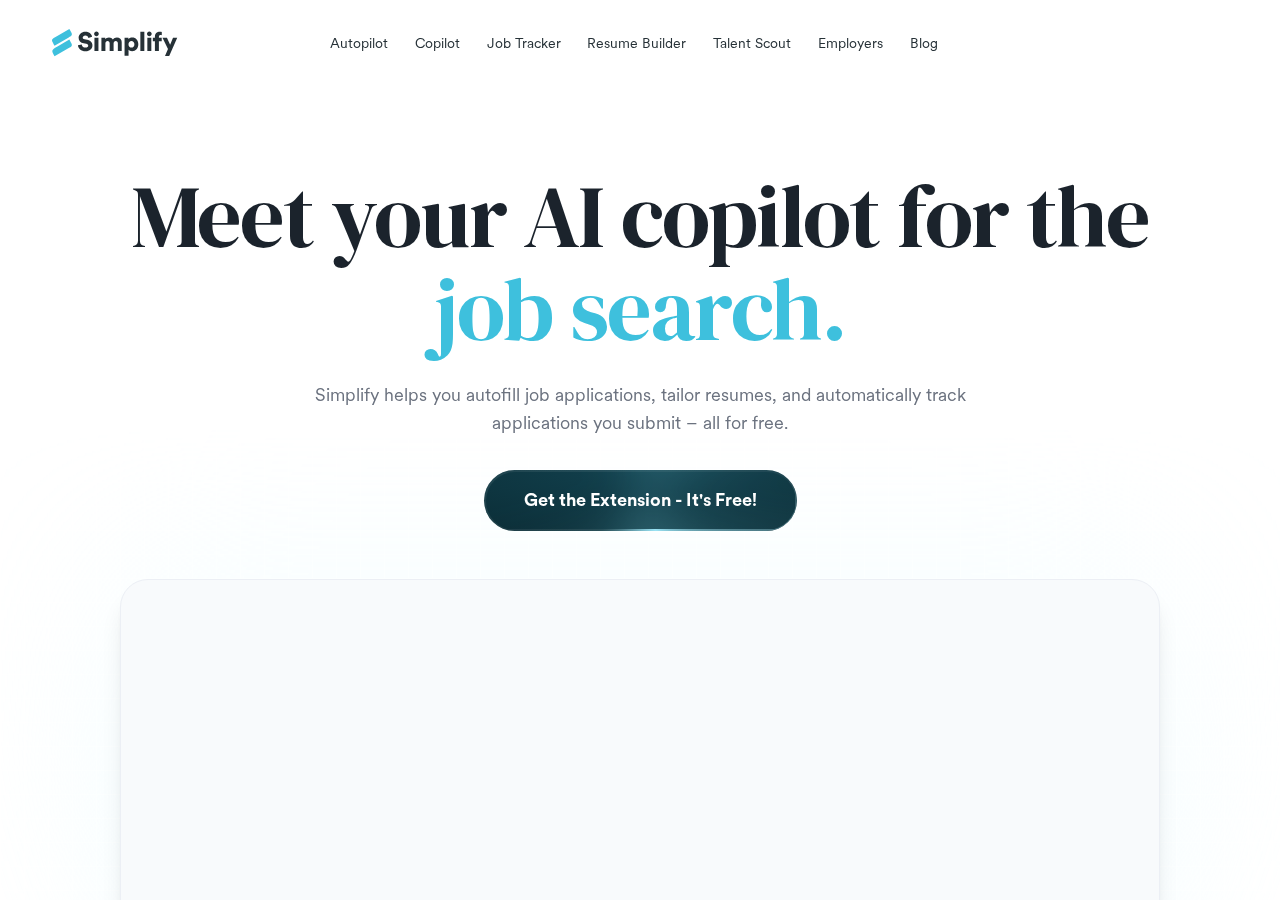
Simplify describes application autofill, resume tailoring and application tracking.
Official source (checked 2026-11-08T12:00:20.919Z)
Limitations
Unlisted capabilities, comparative results and account-specific restrictions were not verified. We do not infer limitations from silence.
Pricing
Not verified: plan, amount, billing commitment, currency, region, tax, trial and usage limits. No price ranking is made.

How we chose these tools
Apply with AI appears first by editorial preference for an Upwork-led search. This ordering does not establish universal superiority. Other tools were selected from verified official workflow descriptions; this is a bounded shortlist, not an exhaustive market survey.
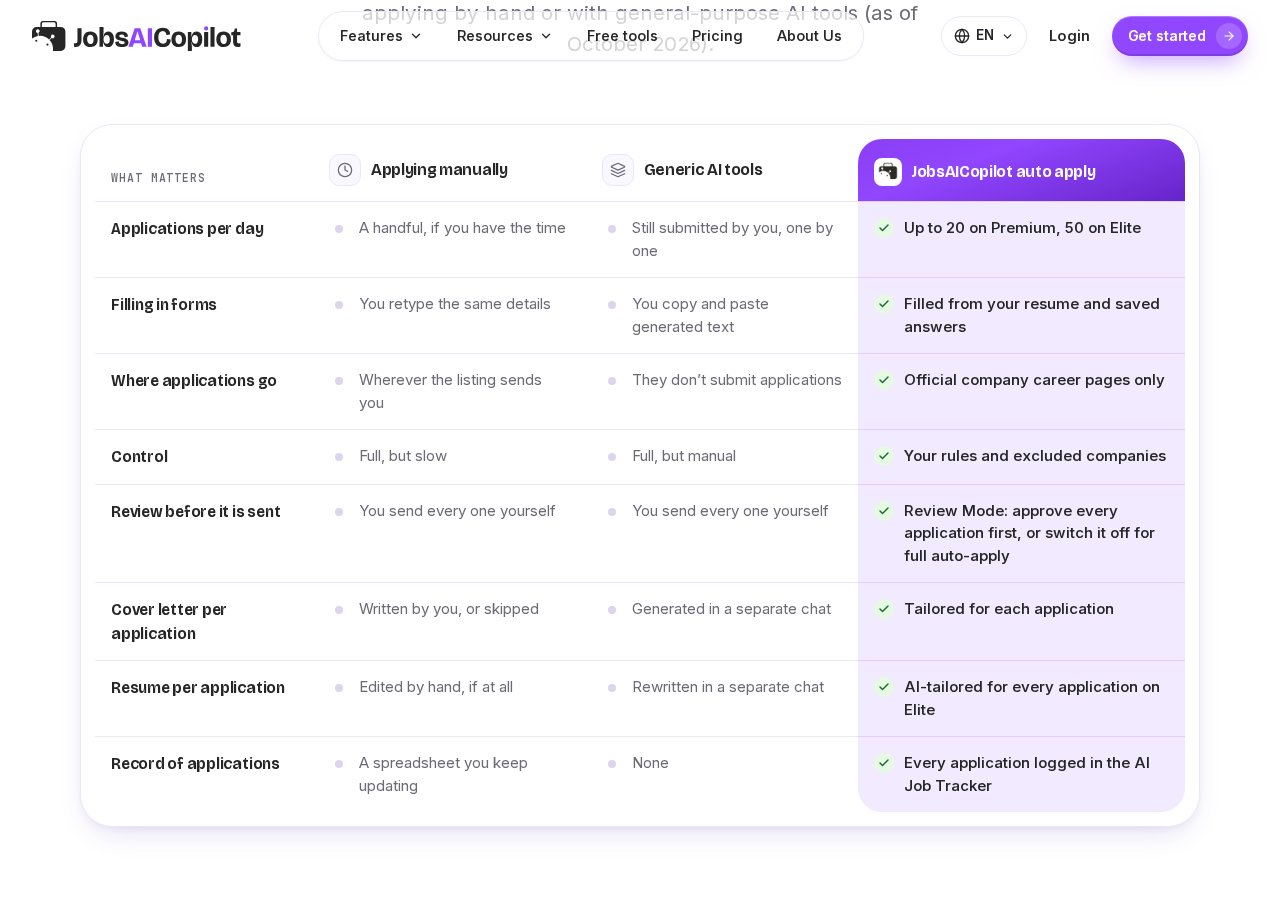
The original tool's documented workflow provides the baseline for this comparison:
JobsAICopilot documents official company career pages as its only application targets.
Official source (checked 2026-11-08T11:59:55.284Z)
Which should you choose?
Test one real opportunity before committing: compare the original listing, the proposed application and your own experience. Keep the final wording accurate to your background.
Choose for the step that costs you time: finding a relevant opportunity, tailoring an application, completing forms or keeping track of follow-ups. A tool aimed at a different step may add work instead of removing it.
Before connecting an account, review the permissions requested and the site's rules. Use a test workflow you can inspect and stop; never share your account password with an unfamiliar service.
Check the checkout total and renewal terms before paying. An annual price divided by twelve is not the same commitment as a cancellable monthly subscription. Confirm currency, taxes, trial renewal and usage limits.
Keep a short record of the tasks you completed and the corrections you made. Judge the tool by useful work saved in your own workflow, rather than treating an advertised speed claim as an expected result.
Frequently asked questions
Does appearing first mean a tool is best for everyone?
No. Ordering reflects editorial preference for the stated workflow. Choose based on your task and verify current terms with the provider.