How to Respond to an Upwork Job Invitation: Check the Fit, Then Accept or Decline Well
A practical guide for Upwork freelancers on vetting a client invitation, deciding whether to accept, writing a proposal that refers to why the client reached out, and declining politely.
Publisher disclosure: Apply with AI makes the extension discussed on this site. Product mentions and comparisons reflect that commercial interest.

An invitation means a client looked at your profile and wants to hear from you. That gives you an advantage, but it doesn't mean you should say yes automatically. The best response does three things: it checks whether the job is worth your time, gives a clear accept or decline, and, if you accept, sends a proposal that shows you understood why this client picked you.
This guide walks through that process: what to check first, how to decide, a proposal structure built for invitations, a realistic example and a short decline template. Upwork changes its interface and rules from time to time, so confirm details like Connects costs and response options on the invitation page itself.
Answer first: what a good invitation response looks like
Respond promptly, even if the answer is no. A client who invited several freelancers usually talks to whoever replies first with something relevant. A quick, polite decline also leaves a better impression than silence.
If you accept, don't send your standard proposal. The client already chose you for a reason, maybe a portfolio piece, a skill, a past review or your niche. Mention that reason in your first sentence or two, then answer the brief the way you would for any good proposal: their problem, your plan, one piece of proof and a clear next step.
- Read the full job post and client details before you reply.
- Decide within a day if you can, and give a clear yes or no.
- If you accept, start the proposal with why they picked you and what you'd do first.
- If you decline, keep it short, say thank you and don't over-explain.
Step 1: Check whether the invitation is a real fit
An invitation can feel flattering, so it's easy to skip the checks you'd run on a public job. Don't. Some invitations go out to a long list of freelancers, some come from clients who are new or unverified, and some use a legitimate-looking post to start a scam.
Spend two or three minutes on the points below. If several raise concerns, decline or ask one clarifying question before you put real effort into a proposal.
- Client history: Is the payment method verified? Have they spent money before, hired before and left reasonable feedback? A brand-new client isn't automatically bad, but you'll want clearer scope from them.
- Budget and rate: Does the hourly range or fixed price fit your rate and the work involved? If the gap is large, decide now whether you'd counter or pass.
- Scope: Can you tell what the deliverable is, when it's due and how success will be judged? A vague post is fine to ask about, but not something to commit to blind.
- Skill match: Is this actually your kind of work, or did a keyword in your profile trigger the invitation?
- Red flags: Requests to move the conversation to Telegram, WhatsApp or email before a contract exists, requests to pay for training or equipment, unpaid test work that looks like real production work, or pressure to start before a contract is in place.
- Your capacity: Can you really take this on at the quality your reviews depend on?
Tip If a client asks you to leave the platform or pay for anything before a contract starts, decline and consider reporting the message. Check Upwork's own help pages for current guidance on off-platform contact and payments.
Step 2: Decide to accept, ask or decline
Most invitations end up in one of three groups. Sorting them quickly keeps you from writing long proposals for jobs you'd never take.
On cost: Upwork has historically not charged Connects for proposals sent in response to a client invitation, but platform rules change. Check what the invitation page shows before you assume it's free. Our guide to Upwork Connects explains how they work more generally.
- Accept: the client looks credible, the budget is workable, the scope is clear enough and the work matches your strengths. Write a tailored proposal.
- Ask first: the job looks promising, but one key detail is missing, such as the deadline, the volume or the tech stack. Accept, and put a short, specific question in the proposal instead of guessing.
- Decline: the budget is far below your rate, the work is outside your skills, you don't have capacity, or something feels off. Decline politely and move on.

Step 3: Write a proposal that answers the invitation
The main difference from a public-job proposal is the opening. The client reached out to you specifically, so acknowledge that and connect it to their problem. Avoid gushing thank-yous; one short line is enough.
After that, follow the brief. Use the client's own terms, answer their questions in the order they asked them, propose a concrete first step and include one specific proof point. Keep it short. They already liked your profile, so the proposal only needs to show you read their post and have a sensible plan.
If the invitation came with screening questions, answer each one directly. Clients often read those before the cover letter.
- Open with the reason they likely invited you, such as a matching portfolio item, review or niche, and tie it to their goal.
- Restate their problem in one sentence so they know you understood it.
- Lay out a short plan: what you'd do first, what you need from them and a rough timeline.
- Add one proof sentence: a similar project, a measurable result you can actually stand behind, or a relevant sample.
- Ask one clarifying question if something important is unclear.
- End with a simple next step, such as a short call or a first milestone.
Tip Not sure why they invited you? Look at what your profile shows most prominently: your title, top portfolio item and most recent review. The match is usually there. Don't invent a reason. A plain opening is better than a wrong guess.
A realistic invitation proposal example
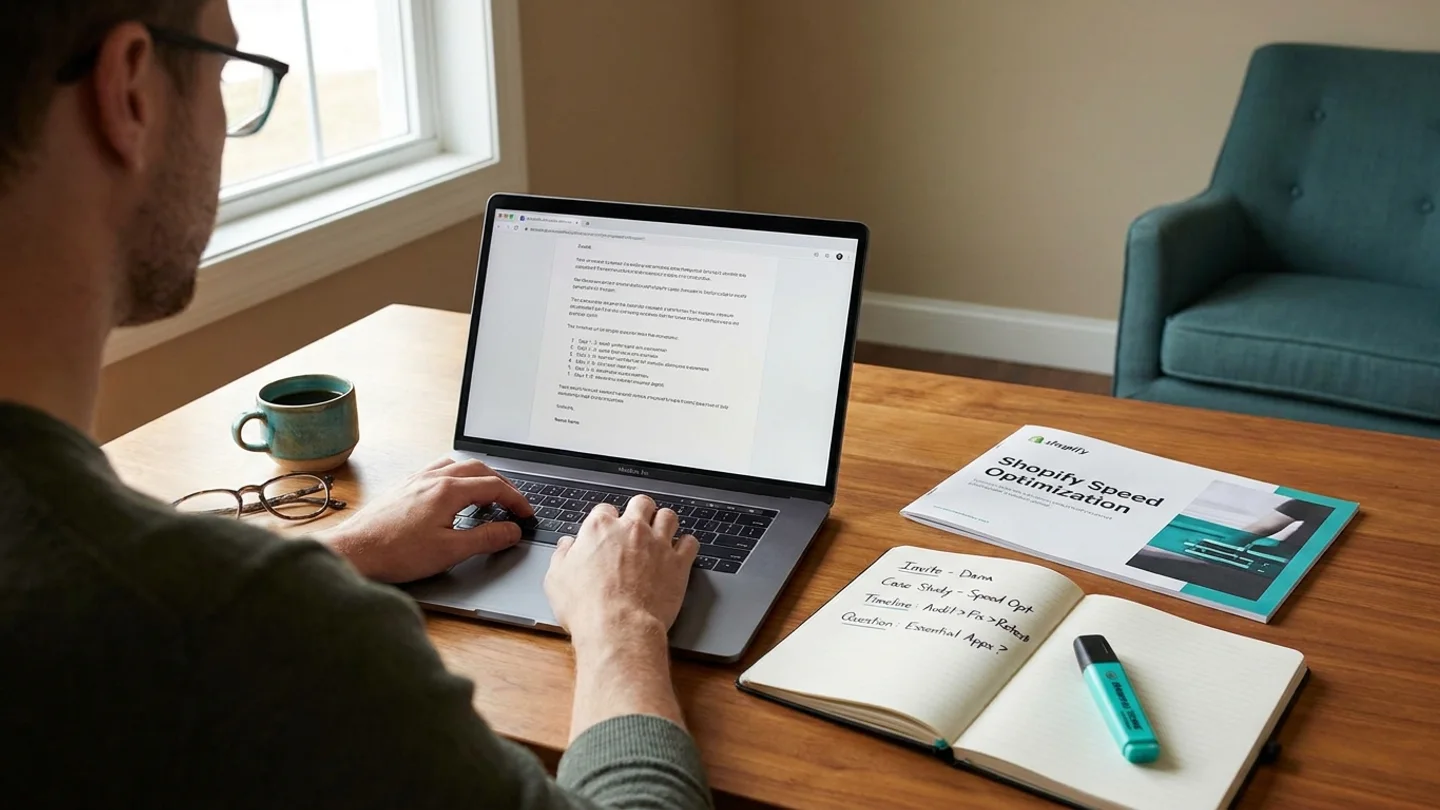
Here's the situation: a client running a small online store invites a Shopify developer to fix slow product pages. The developer's profile features a speed-optimization case study. The post asks for an audit and fixes within two weeks, and there's one screening question about the developer's approach.
Example
Hi Dana, Thanks for the invite. I'm guessing the page-speed case study on my profile caught your eye, and your product pages sound like the same problem: heavy theme scripts and large images slowing down mobile load. Here's how I'd handle the two weeks: 1. Days 1–2: audit three representative product pages, list every app and script that loads, and share a short report ranked by impact. 2. Days 3–10: fix the top items with your approval, typically image sizing, deferring non-essential app scripts and cleaning up theme code. 3. Days 11–14: retest, write down what changed and hand over a short maintenance checklist. On a similar store last year, removing two unused apps and lazy-loading images made the biggest difference. I'll confirm what applies to yours once I see the audit. One question: are any of your installed apps essential to checkout or reviews? I'd want to leave those alone until we've talked. Happy to start with the audit as a first milestone if that works for you. Alex
How to decline an Upwork invitation politely
Upwork gives you a way to decline an invitation, usually with a reason and an optional message. Use the message. A short, courteous note keeps the door open with a client who already likes your work, and they may come back with a better-fitting project.
Don't list every reason or criticize the budget. If you know a different scope or rate would work, you can say so once, briefly.
- Capacity: Thank you for thinking of me for this. I'm fully booked for the next few weeks and couldn't give it the attention it deserves. I'd be glad to hear from you on future projects.
- Fit: Thanks for the invite. This is a bit outside my core work in [your specialty], so I don't think I'm the best person for it. Good luck with the project.
- Budget: Thank you for reaching out. For this scope, my rate would be closer to [range], which I realize may not match your budget. If that changes, or there's a smaller first phase, I'd be happy to talk.
Invitation response checklist
Run through this before you click send on either an acceptance or a decline.
- I read the full post, including any attachments and the parts behind a 'more' link.
- I checked the client's payment verification, spend, hire history and feedback.
- The budget and timeline work for me, or I'm addressing the gap openly, and there are no requests to go off-platform or pay upfront.
- My opening refers to why the client likely invited me, without guessing wildly.
- I answered every screening question directly.
- My plan has a concrete first step, and my proof sentence is true.
- I asked no more than one or two clarifying questions.
- If declining, my message is short, polite and leaves the door open.
Drafting invitation proposals faster with Apply with AI
Disclosure: this article is published by Apply with AI, a Chrome extension for Upwork freelancers and LinkedIn job seekers.
On Upwork, the Apply with AI button appears on job posts and on the Submit a Proposal form, including invitation forms. One click reads the full post (expanding truncated descriptions), your imported Upwork profile and your standing instructions. It then drafts the cover letter, screening answers and dropdown choices and fills them into the form for you to review. It never submits. You edit the draft, add the reason the client invited you if it's missing, and press Upwork's submit button yourself.
If the client replies after you accept, Reply with AI in Upwork Messages reads the thread and the proposal behind it and suggests a next message or writes the one you describe. You send it yourself with Upwork's send button. The extension uses your own AI access. See the pricing page for current plans.
Tip Whatever tool you use, check every claim in a draft against your real experience before sending. Getting invited is a good start, and an accurate proposal keeps that trust.
Related guides
Frequently asked questions
Do I have to accept an Upwork job invitation?
No. An invitation is a request to send a proposal, not a commitment. You can accept and send a proposal, or decline it, usually with a reason and an optional message. Either way, replying promptly is good practice.
Does responding to an Upwork invitation cost Connects?
Upwork has historically not charged Connects for proposals sent in response to an invitation, but its rules change. Check what the invitation page shows before you submit.
Should my invitation proposal be different from a normal proposal?
Yes, mainly in the opening. Mention why the client likely invited you, such as a portfolio piece, review or specialty, and tie it to their goal. The rest should follow their brief: their problem, your plan, one proof point and a next step.
What if the invitation budget is too low?
Either decline politely or accept and state your rate or a smaller first phase once, clearly and without criticizing their budget. Don't accept a rate you'll resent later.
How can I tell if an Upwork invitation is a scam?
Be cautious if the client pushes you to move to Telegram, WhatsApp or email before a contract, asks you to pay for anything, wants substantial unpaid work, or has no verified payment and a vague post. When in doubt, decline and check Upwork's help pages on safety.