Top 10 Cases: Is LinkedIn Easy Apply Worth It?
Is LinkedIn Easy Apply worth it? Compare 10 job-search situations, weigh the trade-offs, and decide when to apply on LinkedIn or use another route.

That Easy Apply button can make a job search feel like it’s moving fast. But speed only helps when the role fits and your application tells a clear story.
Here are 10 situations that show when LinkedIn Easy Apply is worth using, when another route makes more sense, and where Apply with AI can help.
Table of Contents
- Apply with AI for User-Reviewed Application Support
- LinkedIn Easy Apply for Fast, In-Platform Applications
- Easy Apply for Roles That Closely Match Your Experience
- Easy Apply When Your LinkedIn Profile Backs Up Your Resume
- Employer Career-Site Applications for More Tailoring
- Networking-Led Applications for Competitive or Senior Roles
- Easy Apply for Entry-Level and High-Turnover Roles
- Direct Applications for Specialized or Senior Roles
- Easy Apply When You Can Verify Every Screening Answer
- Alternative Routes When Privacy or Application Tracking Matters
- FAQ
- Conclusion
1. Apply with AI for User-Reviewed Application Support
Apply with AI is a Chrome extension for job seekers and freelancers who want help assessing opportunities and preparing applications. It’s a fit when you want support with repetitive tasks but still want to check the work and stay in control.
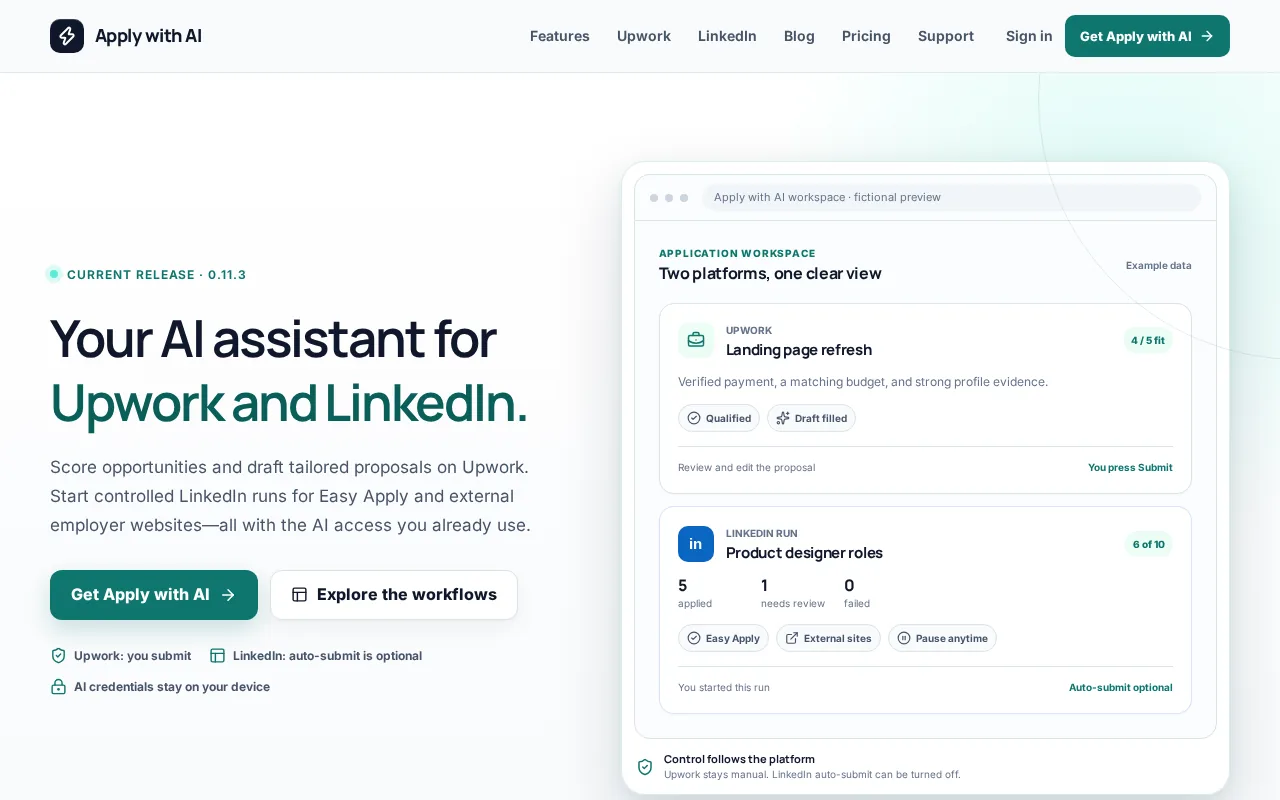
For LinkedIn and employer websites, you start a run, then the tool can help draft or fill an application using your information. You can turn off auto-submit. Review the details before anything goes out, especially answers about experience, work status, or skills.
That review matters. An AI draft can save typing, but it can’t decide whether a role is right for you or make an untrue answer acceptable. Use your own resume and saved answers as the source of truth. Edit any line that overstates what you’ve done.
Apply with AI also works with Upwork. Its job scoring and saved filters can help freelancers screen projects, while its drafting support can help prepare proposals and replies. Upwork messages and proposals still need your review before you press Send or Submit.
For a LinkedIn-only application that takes a few minutes, the native button may be enough. When you’re repeating tasks across LinkedIn and employer sites, Apply with AI’s job application assistant is a useful way to bring that work into a user-controlled process.
2. LinkedIn Easy Apply for Fast, In-Platform Applications
LinkedIn Easy Apply is worth considering when the job is a clear fit and you want to submit without leaving LinkedIn. It suits a quick application where your resume and profile already match the role.
Open a job listing and look for the Easy Apply button. Depending on the employer’s setup, the form may ask for contact details, a resume, and screening answers. Review the application, then submit it in LinkedIn.
You can also filter job search results for Easy Apply listings. That can help when you have limited time and a strong, current resume ready. The trade-off is less room to tailor your application than a longer company form may provide.
Recruiters may use information from your profile alongside the resume you submit. So check that your headline, recent work, and key skills support the same story. A resume that says one thing and a profile that points elsewhere can leave a recruiter unsure which version reflects your experience.
Use Easy Apply when the form is short and accurate. If the application leaves out a key detail that could change how your experience is understood, choose a route that lets you explain it.
3. Easy Apply for Roles That Closely Match Your Experience
LinkedIn Easy Apply works best when the job title, required skills, and your background line up plainly. It’s a reasonable choice for a role where your resume already shows the main requirements without extra explanation.
Before applying, compare the job description with your recent work. Look for the core tasks and required skills, not just a familiar title. A role may sound close to your current job but require a different specialty, license, or level of ownership.
For example, someone who has supported a project team may have useful experience for a project manager role. But if the job asks for budget ownership or formal staff management, the application needs to show whether they’ve done those things. A title match alone doesn’t fill that gap.
Use truthful keywords in your resume and profile. If the listing asks for a skill you have, name it in the part of your work history where you used it. Don’t add a term simply to look like a closer match. Recruiters may ask you to explain it later.
A focused profile can support an Easy Apply submission, but the profile shouldn’t become a copy of one job ad. Keep it accurate for your broader work. If you’re adjusting your approach to LinkedIn search and applications, the LinkedIn job application assistant page explains how Apply with AI fits that workflow.
Skip Easy Apply when the role is a stretch for a reason you can clarify. A company application may give you space to explain transferable skills, relevant training, or a change in career direction.
4. Easy Apply When Your LinkedIn Profile Backs Up Your Resume
Easy Apply is a stronger option when your LinkedIn profile and attached resume tell the same story. It’s less useful if one is out of date or makes your work history look different from the other.
Start with your headline. It should describe your field or role in plain terms, rather than rely on a vague phrase that could fit almost anyone. Then check that the most relevant skills and recent experience are easy to find.
Your profile does not need to mirror every bullet in your resume. It should agree on job titles, dates, and the kind of work you’ve done. If you’ve changed fields, make the connection clear through a short summary or a focused description of relevant projects.
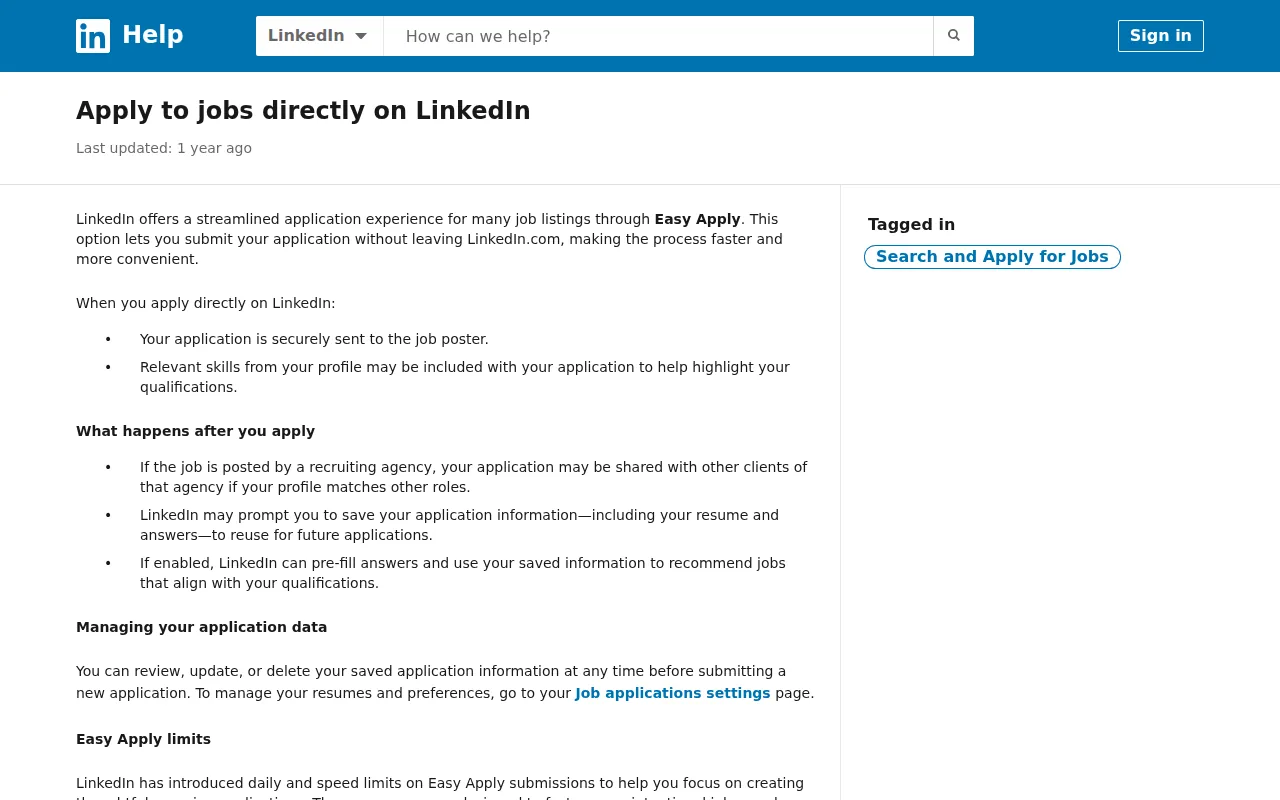
For each Easy Apply job, confirm that the resume attached is the one you intend to send. LinkedIn lets applicants use a saved resume or upload another one during an application. A general resume may be fine for a close match, but a role-specific version can make your relevant work easier to spot.
Take care with keyword edits. Use the wording from a posting when it accurately describes your skills, but don’t stuff the profile with terms you can’t back up. A recruiter may ask about any listed skill, and an interview is a poor time to explain that it was added only to match a search.
If your profile is unfinished, pause before applying. Update the key facts first, then use Easy Apply for roles where that profile gives a fair picture of your fit.
5. Employer Career-Site Applications for More Tailoring
An employer career site is a better choice when you need to give more context than Easy Apply allows. It’s especially useful for a role that matters to you, or one with questions about your background that a resume alone can’t answer.
There, you may find fields for a cover letter or role-specific questions. What the form asks depends on the employer, so don’t assume every career site has the same steps.
| Situation | LinkedIn Easy Apply | Employer career site |
|---|---|---|
| Your resume clearly matches the role | Good fit for a short submission | Useful if the employer asks for more detail |
| You need to explain a career change | May leave little room | Often gives you more space to add context |
| The posting asks for a cover letter or extra materials | Check whether the form allows them | Follow the employer’s instructions |
| You want to confirm the job is listed by the employer | Verify the posting before sharing details | Find the role on the company’s own site |
Keep your materials focused. If a form asks why you want the job, name one part of the work or organization that connects to your experience. Avoid broad praise that could apply to any company.
Applying on a company site can also help you confirm that the listing is active and that you’re sharing information through a channel the employer identifies. Still, check the page and the job details before entering personal information. A company name alone doesn’t prove that a posting or link is genuine.
Choose this route when tailoring changes the application for the better. If the form only repeats details already in your resume, Easy Apply may save time without losing important context.
6. Networking-Led Applications for Competitive or Senior Roles
For a competitive or senior role, a thoughtful conversation can add context that a quick application can’t. Networking suits candidates whose value depends on leadership, specialist knowledge, or results that need more than a job title to explain.
Start with people you already know, such as former coworkers or industry contacts. Ask a specific question about the team or role. If you contact a recruiter, name the opening and briefly explain the part of your experience that fits.
That message doesn’t replace the formal application when the employer asks for one. Apply through the route named in the posting, then use a short note to help the right person connect your application with your background. Keep the note accurate and easy to answer.
For senior jobs, a profile summary may not show the scope of your work. You might need to describe a team you led, a complex decision you owned, or a change you helped make. A short conversation can tell you which of those details matters most before you tailor your resume.
Check what the particular employer requests, then decide how to present the relevant parts of your experience in your application.
Networking takes time, and it can’t guarantee a reply or an interview. Use it to learn and build a relevant connection, not to pressure someone into moving your application ahead.
7. Easy Apply for Entry-Level and High-Turnover Roles
Easy Apply can be a sensible route for entry-level or high-turnover roles when the requirements are clear and your experience fits them. It may also work for a role where the employer’s form is short and the application doesn’t call for a detailed case.
Don’t treat a low experience requirement as a reason to apply without checking the details. A role may still require a license, a certain schedule, work in a specific location, or a skill you haven’t used. Read those requirements first, then answer screening questions honestly.
Entry-level applicants can make their fit clear without years of full-time work. Relevant coursework, a placement, volunteer work, or a personal project may help when it directly relates to the job. Keep the description factual. State what you did, then connect it to a listed task.
Easy Apply can help you submit promptly when a job is a sound match. But sending more applications isn’t the same as making progress. Keep track of the roles you’ve applied to and what you sent, so you can follow up without mixing up employers or job details.
Use a tailored company application when the role asks for a written response or needs proof of a qualification. If the posting asks for material you can’t provide through Easy Apply, follow the employer’s stated instructions instead.
A balanced search can include quick applications for close matches and more focused effort for roles you care about most. That gives each application a purpose instead of making the click count your measure of progress.
8. Direct Applications for Specialized or Senior Roles
Direct applications are often the better route for specialized or senior roles when you need to show depth, explain unusual experience, or address specific requirements. Use Easy Apply only if it lets you submit the information the employer needs.
Look closely at the role’s core duties. A specialist job may use a broad title while asking for experience with a particular type of work. If your background matches but your resume uses different terms, tailor it to describe the work clearly. Don’t claim a tool, skill, or credential you don’t have.
For a role that deserves extra care, use the employer’s career site if it gives you room to tailor materials. You can also look for a recruiter or relevant contact to ask a focused question. Keep your message short and respectful; the goal is to learn whether your experience fits, not to ask for special treatment.
Applying directly doesn’t guarantee that a person will read your materials first or that you’ll receive a reply. It gives you a chance to follow the employer’s full process and share requested details. That may be worth the extra time when the role calls for a precise account of your work.
Key Takeaway: Save your most tailored effort for roles where your experience needs explanation or the application asks for more than a resume.9. Easy Apply When You Can Verify Every Screening Answer
Easy Apply is worth using only when you can check each answer before submitting. This matters most when a screening question asks about a required skill, work authorization, location, schedule, or years of experience.
Read each question as written. If it asks whether you have used a tool at work, don’t count a brief personal experiment as professional experience unless the question makes that distinction. If you’re unsure what the employer means, look for details in the posting before answering.
Saved answers can speed up future applications, but they can also become stale. A schedule preference may change. Your current resume may replace the version you used last month. Review saved details each time instead of assuming they still apply.
Keep answers consistent with your resume and LinkedIn profile. If a field asks for a number of years, check your dates. If it asks about a required skill, make sure your work history supports your answer. An application that is quick to submit still deserves a careful read.
Pro Tip: Before you submit, pause on every yes-or-no question. Check it against your current resume and the wording in the job post.If a question doesn’t give you a truthful option, don’t force an answer just to finish the form. Look for a way to contact the employer or use its career site, where you may find more room to explain.
10. Alternative Routes When Privacy or Application Tracking Matters
Choose another application route when you want to confirm where your information is going or keep closer track of each submission. This is useful if you’re applying to several roles and need to know which resume or answers went to each employer.
Before submitting, check the employer name, job title, location, and application destination. If you found the role on LinkedIn, you can search for it on the company’s own careers page as a second check. Be cautious if the job details don’t match or the application asks for information that seems unrelated to hiring.
Tracking doesn’t need a complex system. Record the role, employer, date, application route, and resume version you sent. Add a note if you contacted someone or need to follow up. That small record can help you avoid duplicate submissions and remember the details before an interview.
Apply with AI can support applications on LinkedIn and external employer sites within a run you start. You can review and edit the prepared material, and auto-submit can be turned off. If you’re comparing assistant options for this kind of workflow, this comparison of AI job application tools can help you see which tasks to assess.
Privacy is also about what you choose to share. Give an employer the details needed for the application, and check the destination before sending sensitive information. If you don’t trust the posting or route, stop and verify it first.
Key Takeaway: A simple application log plus a quick check of the destination gives you more control over what you shared and where.FAQ
Is LinkedIn Easy Apply worth it?
LinkedIn Easy Apply is worth it for a clear-match job when your resume and profile are current. It saves the step of leaving LinkedIn for some applications, but it may offer less room to explain your fit. Use a company career site or a networking-led approach when the role needs more context.
Do recruiters see my LinkedIn profile when I use Easy Apply?
Recruiters may see information from your LinkedIn profile along with the resume and answers you submit. That’s why your profile and resume should agree on your work history and skills. Before using Easy Apply, check the details a recruiter could use to understand your fit, especially your headline and recent experience.
Is it better to apply on LinkedIn or on the company website?
Neither route is always better. Easy Apply can suit a short application for a close match, while the company website may give you more room to tailor materials or answer role-specific questions. Follow the employer’s instructions, and check that the job is active before sharing your information.
Can I use AI to help with LinkedIn Easy Apply?
Yes, AI can help draft or fill application material, but you should review every answer before it goes out. Apply with AI can assist with LinkedIn and external-site applications within a run you start, and auto-submit can be turned off. Keep your resume and facts as the source of truth, then edit drafts that don’t sound accurate.
Does Easy Apply guarantee a faster response?
No, Easy Apply doesn’t guarantee a response. It can make submission quicker for you, but the employer still decides how to review applications and when to reply. If you’re a close match, make sure your resume and profile show that clearly. For a role you care about, consider a tailored application or a polite follow-up.
Conclusion
Use Easy Apply for accurate, close-match applications, and switch to a direct or networking-led route when you need more room to explain your fit. Before your next submission, check the job requirements, confirm your resume, and review every screening answer. If repeated form work is slowing you down, try Apply with AI and keep control of the final review.